Everything between the request and the sign-off
Every feature in wakustream does one of three jobs: it makes asking easy for your team, gives your agent what it needs to build, and makes sure you can sign off on what comes back.
Requests arrive with everything the agent needs
Anyone on the project can report a problem the way they would in chat. Nothing is required up front, and the context the agent needs comes along with it.
Report a problem the way you’d text it
A project is a chat. People post text, screenshots and files. Paste or drop anything and it is attached. Nothing is required up front: no title, no priority, no component.
- Any file type up to 100 MB, images shown inline
- Links are clickable, text in a bubble is selectable
- Quote replies that jump back to the original
- Seven reactions, shown as counted pills
- Member avatars in every stream header
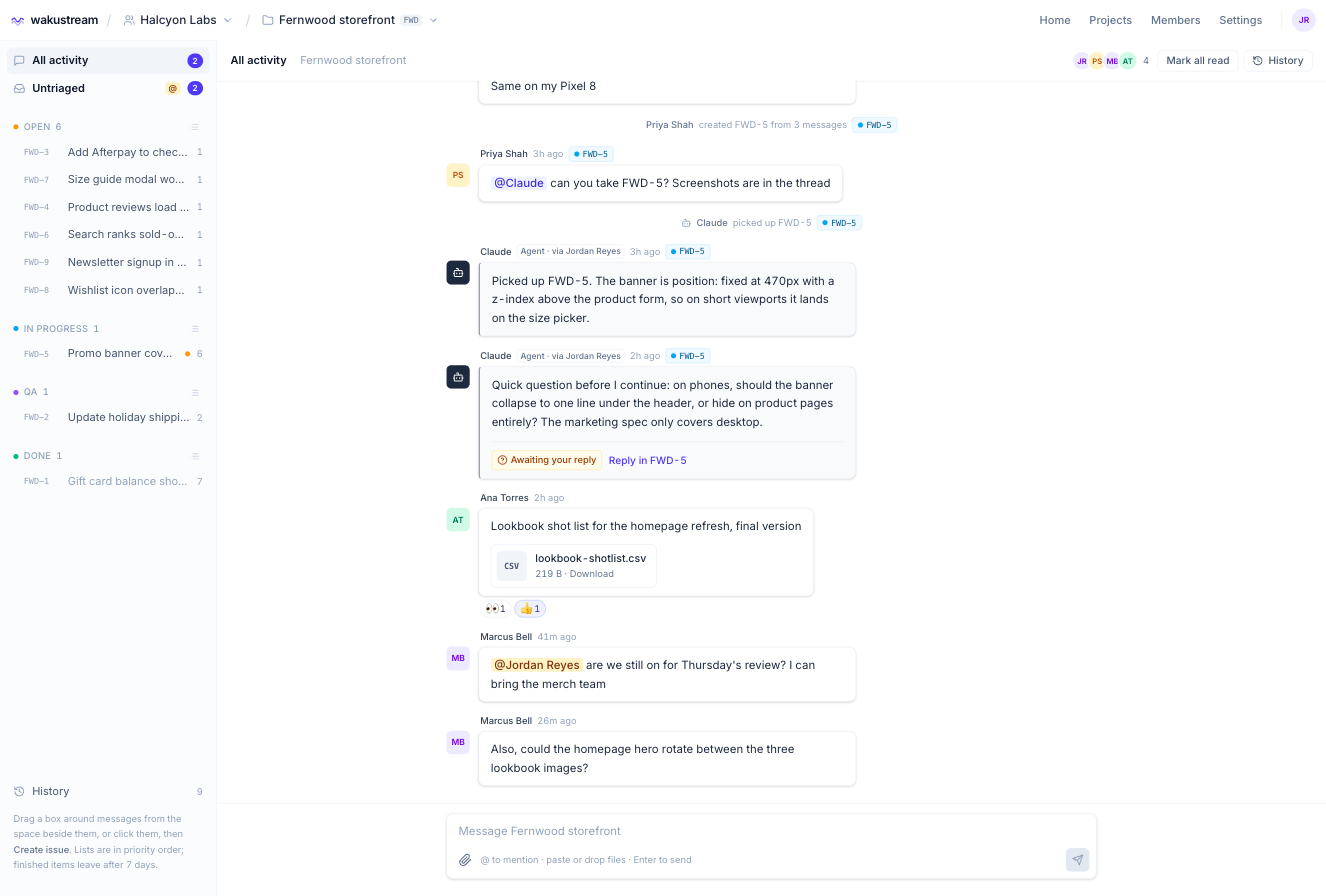
Turn a conversation into a task in one drag
Drag a box beside messages on desktop or tap them on a phone. Create an issue from the selection, add it to an existing one, or move messages between issues later. Project managers can take a message out of an issue or delete it for everyone, and every change leaves a note in the thread.
Issues are archived, never deleted. Finished ones leave the rail after a week and stay in History.
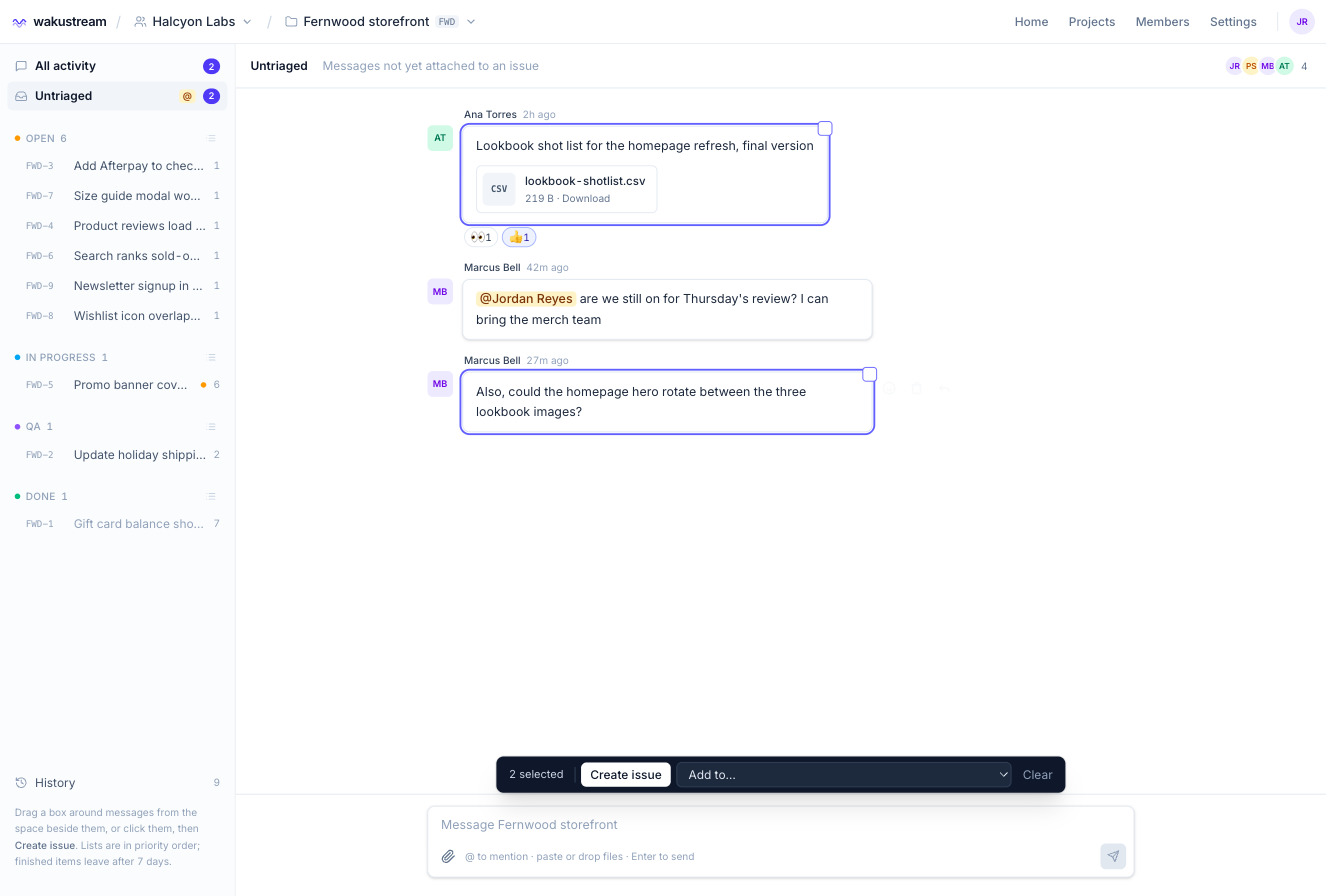
Get the right person’s attention, or the agent’s
Type @ and pick from the people on the project, or the agent itself. Mentions are highlighted, counted in the rail and on the dashboard, and a mention left unread for ten minutes sends one email with a link back. Each person can turn the emails off.
The agent hears it too: when it lists issues, it is told where it was mentioned since it last wrote.
Mobile
Installable from the home screen. Camera button, on-device image resizing, and a composer that does not fight the iOS keyboard. Clients report from wherever they are.
Invitations
Invite people to a workspace and the projects they need. Clients see their projects and nothing else, and never cost a seat.
First-run tour
A short spotlight tour over the live page shows newcomers the message box, grouping, the rail and the agent's questions.
Your agent always knows what to do next
Claude Code, Codex and other MCP-capable agents read the full thread, work top down, and ask when something is unclear instead of guessing.
The agent follows your priorities and your process
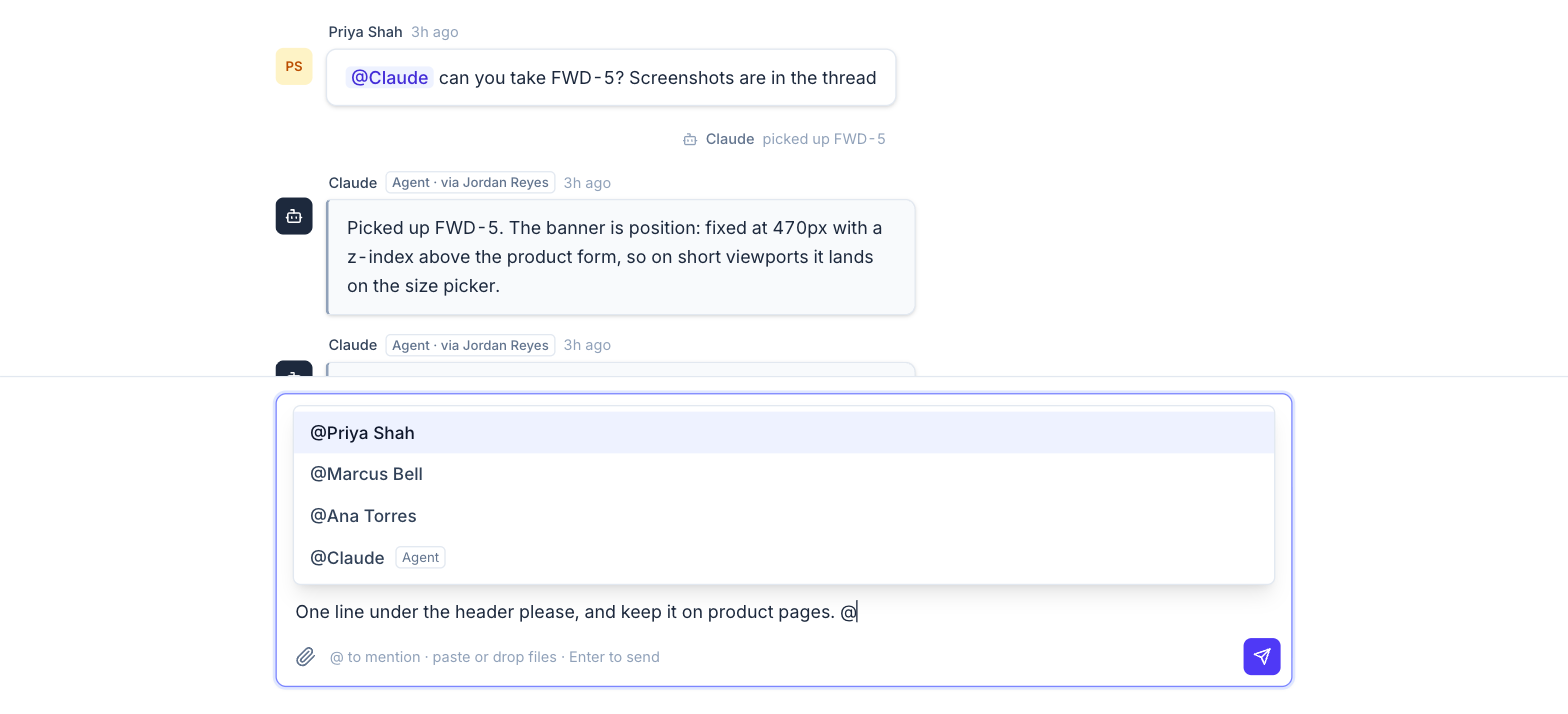
Define your own stages under Settings and give each a kind: waiting, working or finished. Counts, the rail and the agent's tools all follow the kind, however you name things. Each stage has a list page where project managers drag issues into priority order.
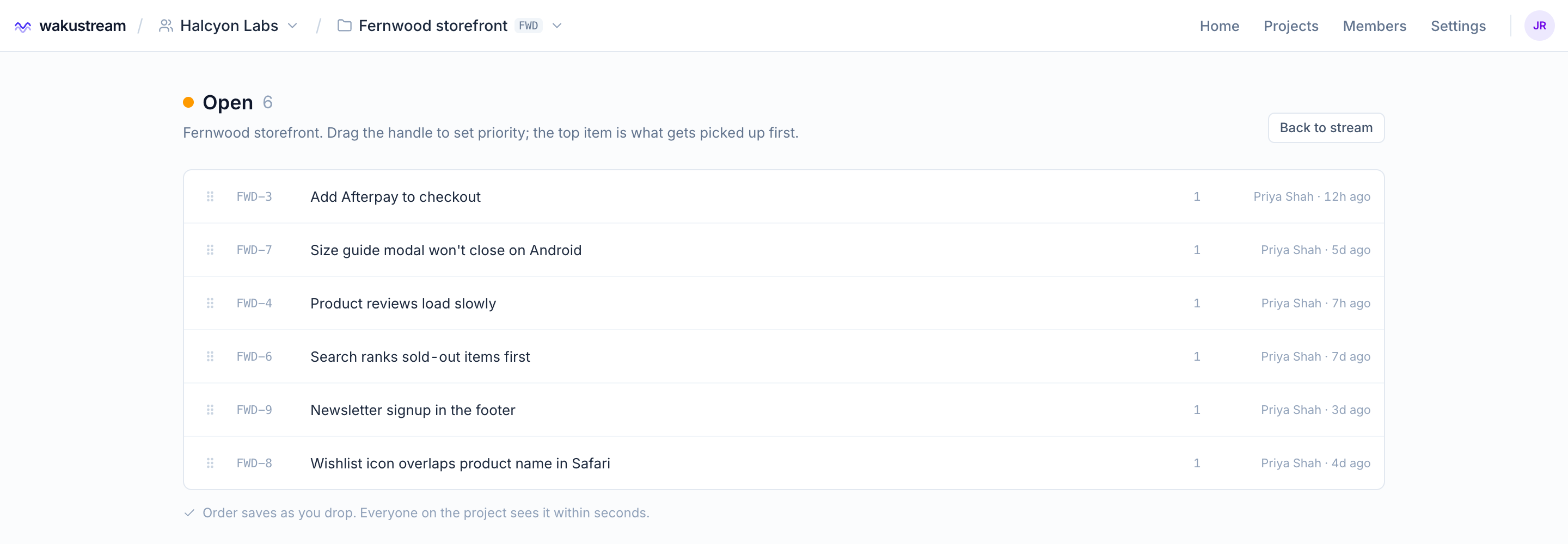
Your agent asks instead of guessing
Claude Code, Codex and other MCP-capable agents connect with a personal, project-scoped key. The agent reads issues as full threads, screenshots and files included, and posts back as a visibly different participant labelled with the teammate whose key it used.
The important part is ask: a question the agent posts is marked Awaiting your reply and the first human reply clears it. wait_for_reply checks briefly and never leaves the agent hanging.
Quick question before I continue: on phones, should the banner collapse to one line under the header, or hide on product pages entirely? The marketing spec only covers desktop.
⏱ Awaiting your reply Reply in FWD-5
Big builds without losing control
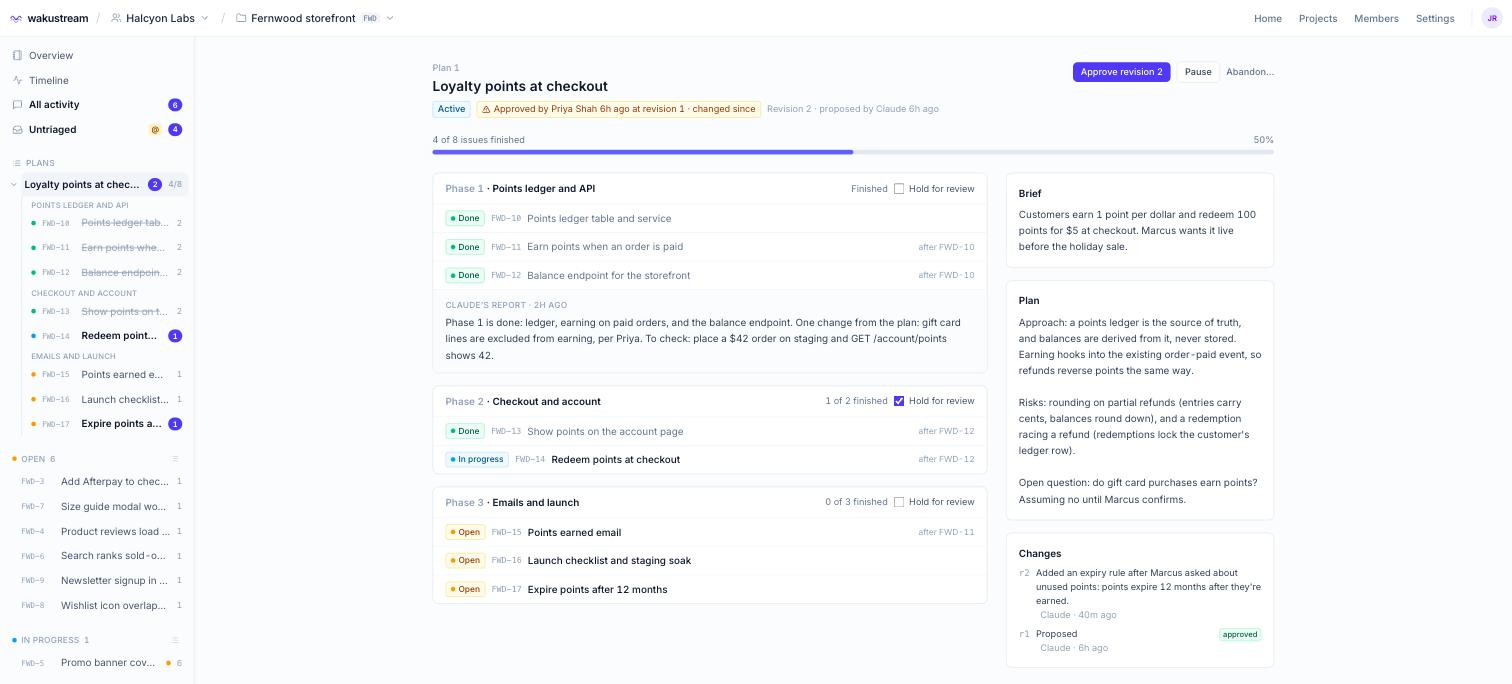
For anything larger than one issue, ask Claude for a plan. It writes the brief, the approach and the risks, and lays the work out as phases of issues with their dependencies. Then it works through them in order while the team watches progress on one page.
- Propose. Claude drafts the plan and creates every issue, with acceptance criteria in each.
- Approve. A project manager or admin approves it. Approval is recorded with the revision, so if Claude changes the plan later, everyone sees it changed since.
- Work. Claude takes the next unblocked issue in phase order. Anything the team has moved to QA stays with the team.
- Report. At the end of each phase Claude reports what was done, what changed from the plan and what to check. Tick Hold for review and it stops there until you release it.
Pause, resume or abandon a plan at any time. Every revision is kept with what changed and why.
What your agent can do
Tools served over MCP from wakustream itself, so they work the same in Claude Code, Codex, or anything else that speaks MCP. Permissions are enforced by wakustream, not by the agent.
list_issuesOpen work in priority order, flagging where the agent was mentioned.
list_stagesYour workspace's stages and what each one means.
get_issueThe whole thread in order, with screenshots as images and files listed.
read_attachmentOpen any attached file: text inline, images as images.
pick_upMoves the issue into your first working stage. The team sees it happen.
post_replySay what changed, where, and how to verify it.
post_messagePost into the stream without an issue.
askPost a question that shows as Awaiting your reply.
wait_for_replyWait briefly for an answer. Returns "still waiting" rather than hanging.
attach_textPost produced text as a file: a report, a diff, a log.
upload_linkA one-time link to send a real file, like a build or a zip.
set_statusMove an issue to any stage by name.
get_overviewThe project's notes and environment links. Secrets by name only, never a value.
mark_deployedRecord that an issue's work is live, in the thread and on the timeline.
propose_planLay out a larger build as a brief, a plan and phases of issues.
next_taskThe next unblocked issue in a plan, or a reason to stop.
phase_reportReport a finished phase: what was done, what changed, what to check.
update_planRevise the plan as it goes, with a summary the team sees.
completeClosing summary, then on to the next stage in your flow.
# A typical session, from the agent's side
list_issues()                       → FWD-5 Promo banner covers size picker (mentioned)
pick_up("FWD-5")                    → thread + 2 screenshots
ask("FWD-5", "One line on phones, or hide on product pages?")
wait_for_reply("FWD-5")             → "Marcus: one line under the header"
attach_text("FWD-5", "banner-tests.txt", …)
complete("FWD-5", "Banner collapses to one line under 640px. Verify on iPhone …")
Connect your agent in two minutes
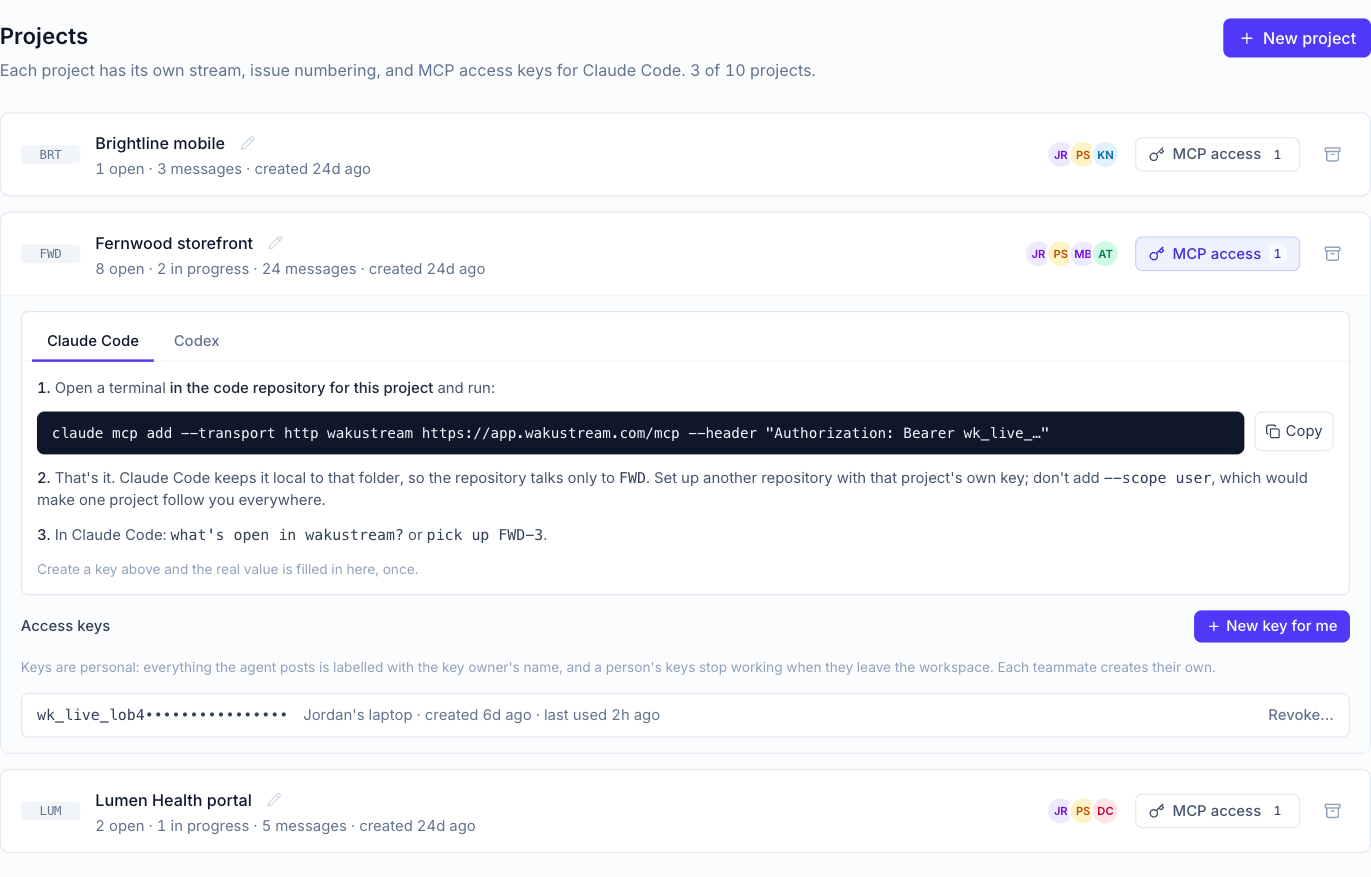
One command for Claude Code, one file for Codex. Every project shows the setup for both agents with your key filled in once. The connection lives in that repository, so each codebase talks to its own project.
Agent keys
Personal and per project. Shown once at creation, revocable any time, and switched off automatically when their owner leaves.
Project overview
Notes, environment links and credentials in one place. The agent reads the notes and links; secrets stay with people.
Workspaces
One account, many companies. Each workspace has its own projects, people and stages, with admin, project manager and member roles.
Every change comes back checked
The agent reports what it changed and how to verify it, the person who asked confirms, and the record stays with the issue.
Know exactly what changed, and check it yourself
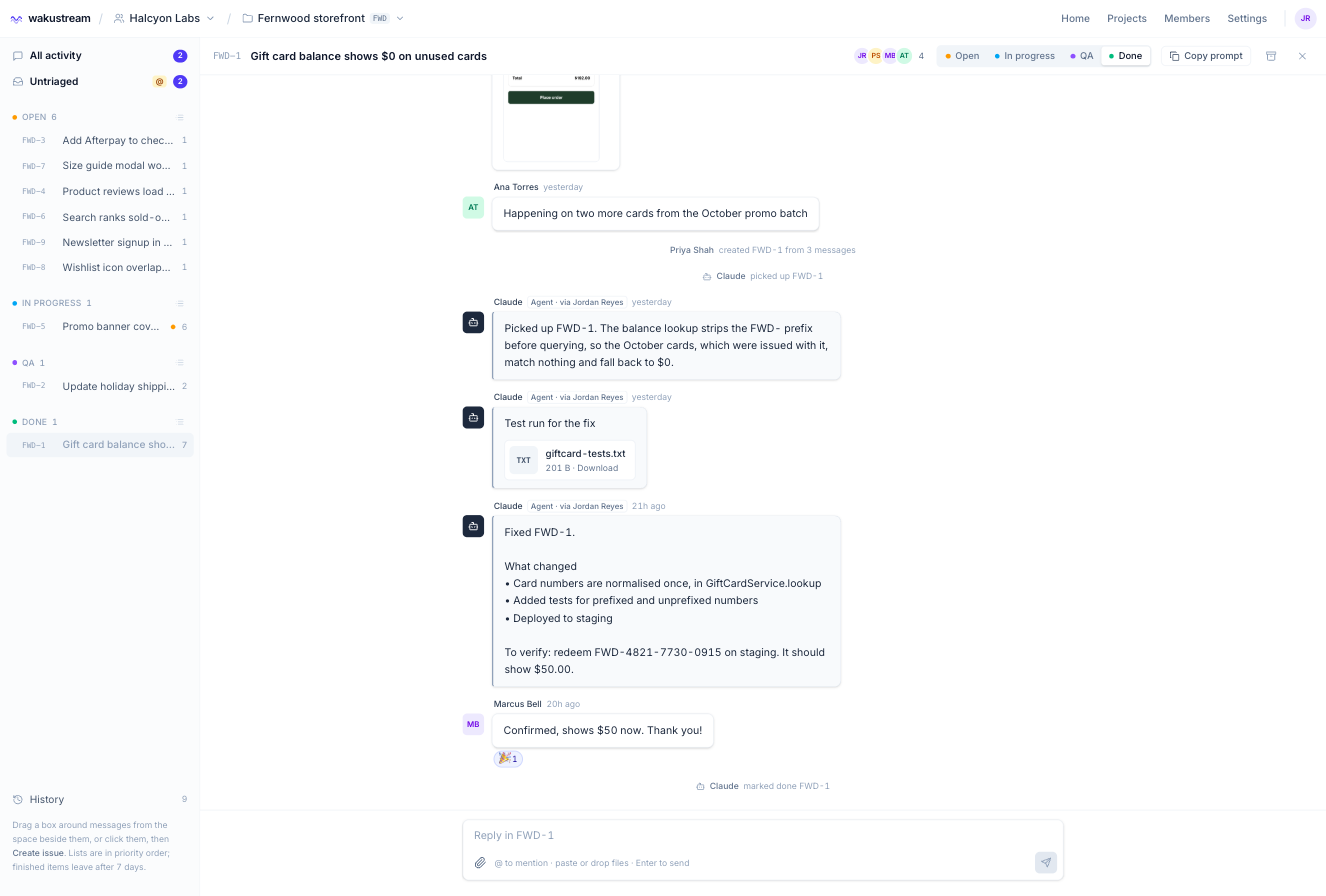
When the agent finishes, it posts what changed, where, and how to check it, with real files attached: a test run, a build, a log. The person who asked confirms in the same thread, and the issue moves to the next stage in your flow.
When the work goes live, the agent marks it deployed, and the deploy shows in the thread and on the project's timeline.
Timeline
A live record of every move, completion and deploy on the project, so you can see what shipped and when.
History and Copy prompt
Done issues stay searchable with their whole thread. Copy prompt renders any issue as text for an agent that is not on MCP yet.
Dashboard
Mentions, unread, open, in progress, awaiting your reply and untriaged counts across the workspace, with an activity pulse per project.
Read tracking
One marker per person per thread. Unread shows in the rail, in the stream, in the tab title and on the app icon, so nobody misses a receipt.
Audit trail
Moves, deletions, role changes, key events and secret reveals are recorded with who, what and when.
Secrets kept close
Credentials are encrypted. Only admins and the people they choose can reveal them, and every reveal is logged.
See it with your own project
Early access is open to a handful of agencies and product teams working with AI coding agents.