How a request becomes a signed-off change
Your team and your clients say what they need in chat. Your agent does the work and asks when it’s unsure. The person who asked confirms it’s right. Here’s every step, for a quick fix and for a bigger build.
- 1Request
- 2Group
- 3Rank
- 4Hand off
- 5Clarify
- 6Deliver
The process was built to ration developer hours
Tickets, estimates, sprint planning and status meetings all exist because writing code was slow and expensive. When an agent writes the code in minutes, that ceremony becomes the slowest part of the job.
- A product manager writes a ticket: fields, estimate, acceptance criteria.
- The ticket waits in a backlog for the next planning session.
- A developer picks it up days later and asks questions in a different tool.
- The developer writes the code, opens a pull request, and updates the ticket.
- A status meeting finds out where everything is.
Optimised for scarce typing time. Context gets retyped at every step.
- Product managers, clients and users post the request where they already talk, screenshots included.
- Anyone drags a few messages into an issue. The thread is the spec.
- The operator hands it to the agent in one line. The agent reads everything.
- The agent asks its question in the thread, and the requester answers there.
- The agent posts what changed and how to check it. The requester confirms.
Optimised for scarce attention. Context is written once, by the person who has it.
Three roles, one stream
Requesters
Product managers, clients and users. They say what's wrong, show it, answer the agent's questions, and confirm the fix. They never touch a terminal or fill in a form.
The operator
The developer running Claude Code or Codex. They set priority, keep the agent busy, review what it produces, and own what ships. Their job is throughput and judgment, not data entry.
The agent
Reads the whole thread, screenshots and files included. Does the work, asks when it is unsure, and reports back with what changed and how to verify it.
A quick fix, from a client’s message to shipped
Nobody fills in a form
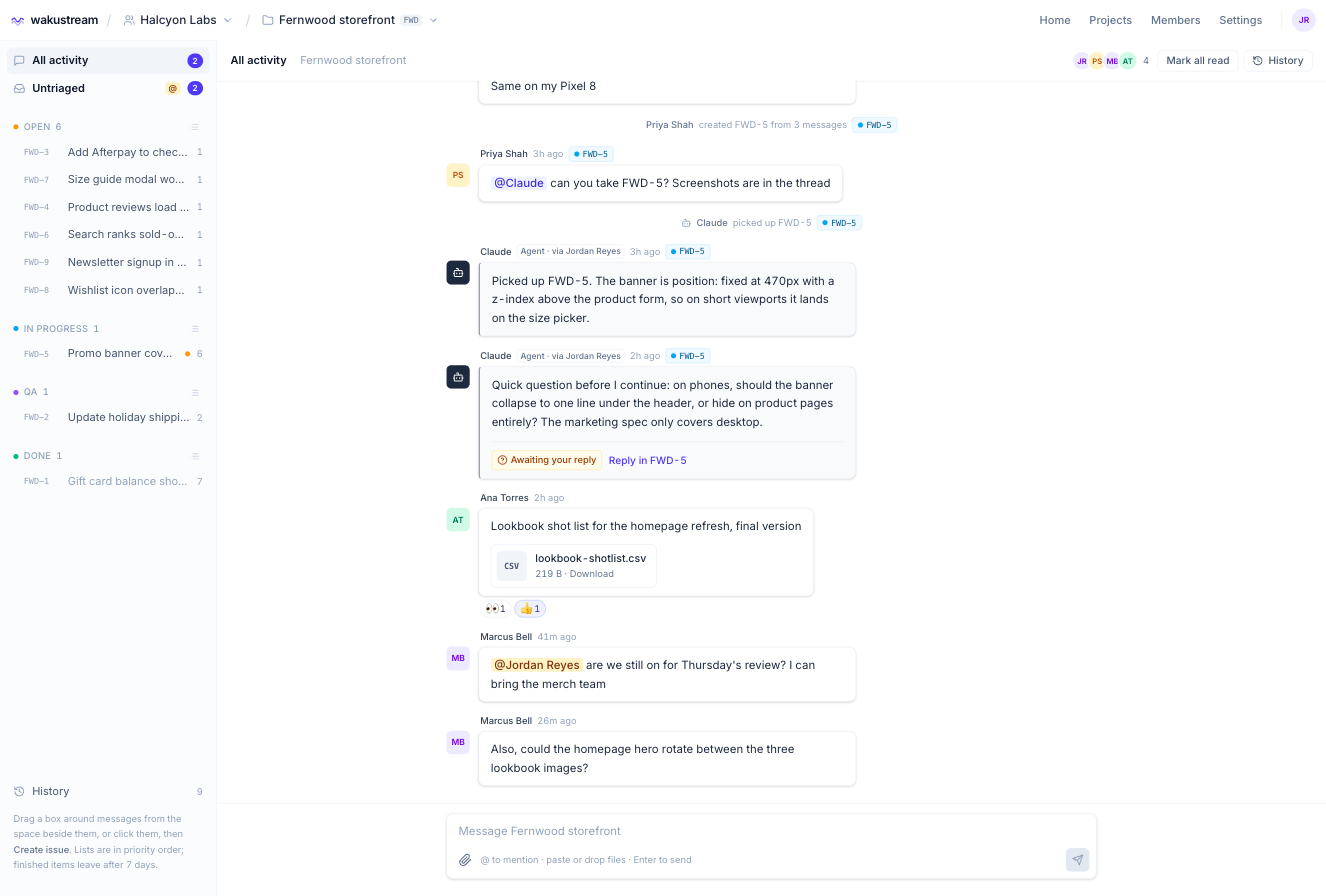
A client spots a problem on their phone and drops a screenshot into the project stream with a sentence. No template, no required fields. Teammates add detail as replies.
The conversation becomes the spec
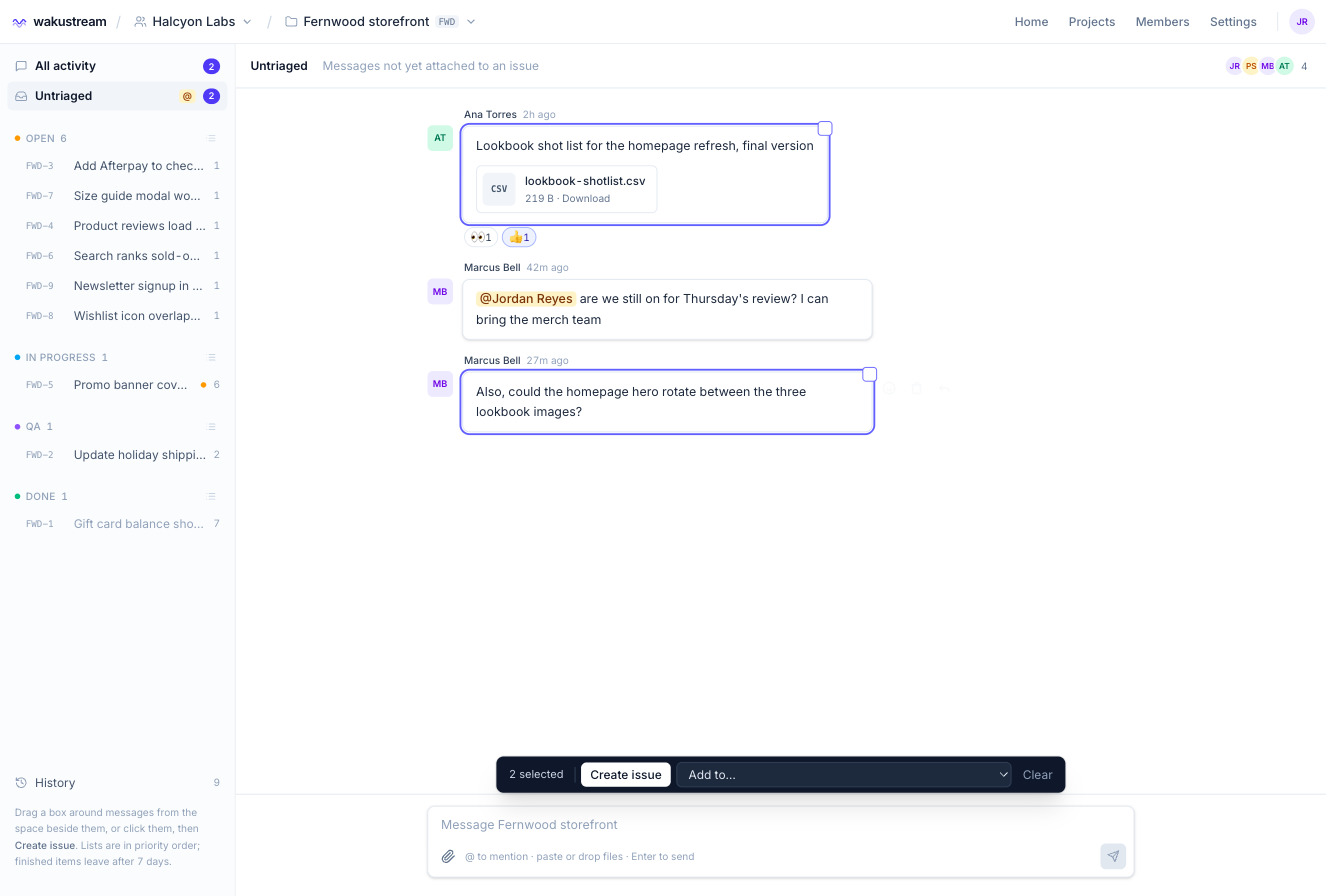
Anyone on the project draws a box around the messages that belong together and clicks Create issue. The thread, with its images, becomes the task. Nothing is rewritten.
The agent works on what matters most
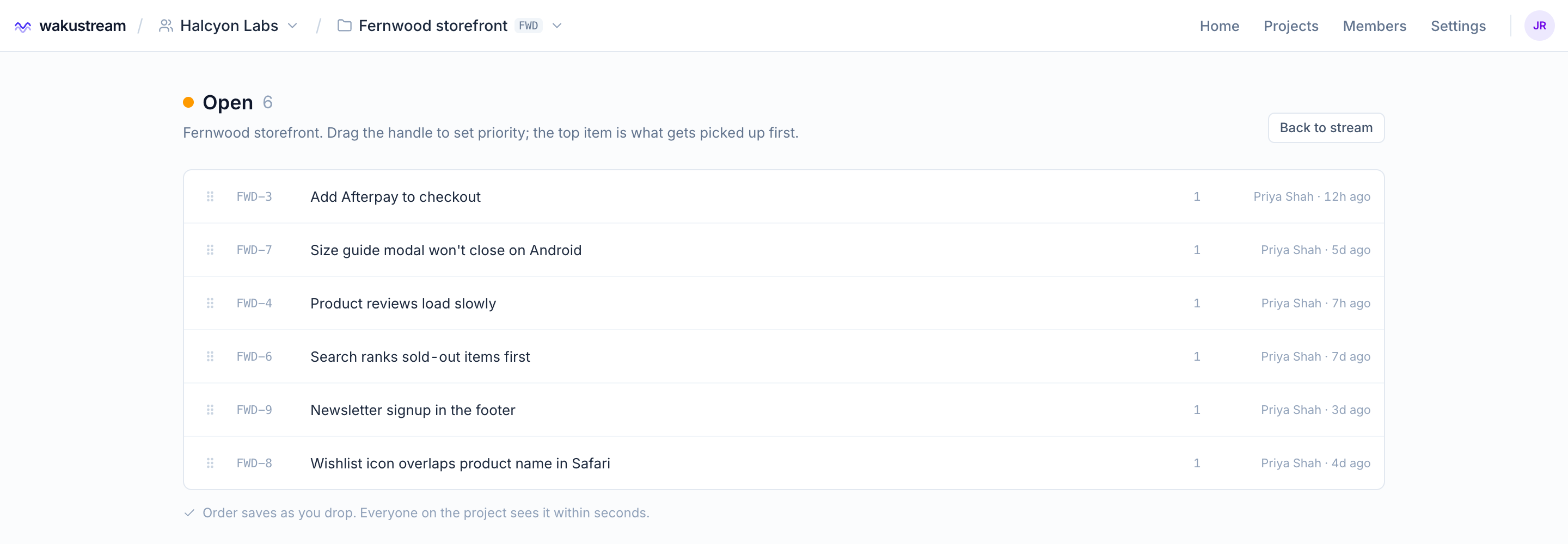
The product manager or the operator drags issues into priority order. That order is what the agent sees when it asks what is open, so the queue and the work never disagree.
Starting the work takes one line
The operator asks Claude Code or Codex what is open and tells it which issue to take. The agent marks it in progress, so the requester sees it has started. Anyone can also @mention the agent to point it at a thread.
~/fernwood-storefront
> what's open in wakustream?
  FWD-3  Add Afterpay to checkout
  FWD-7  Size guide won't close on Android
  FWD-5  Promo banner covers size picker @you
> pick up FWD-5
  Read the thread and 2 screenshots.
  Banner is fixed at 470px, over the size picker.
No one babysits a terminal or relays questions
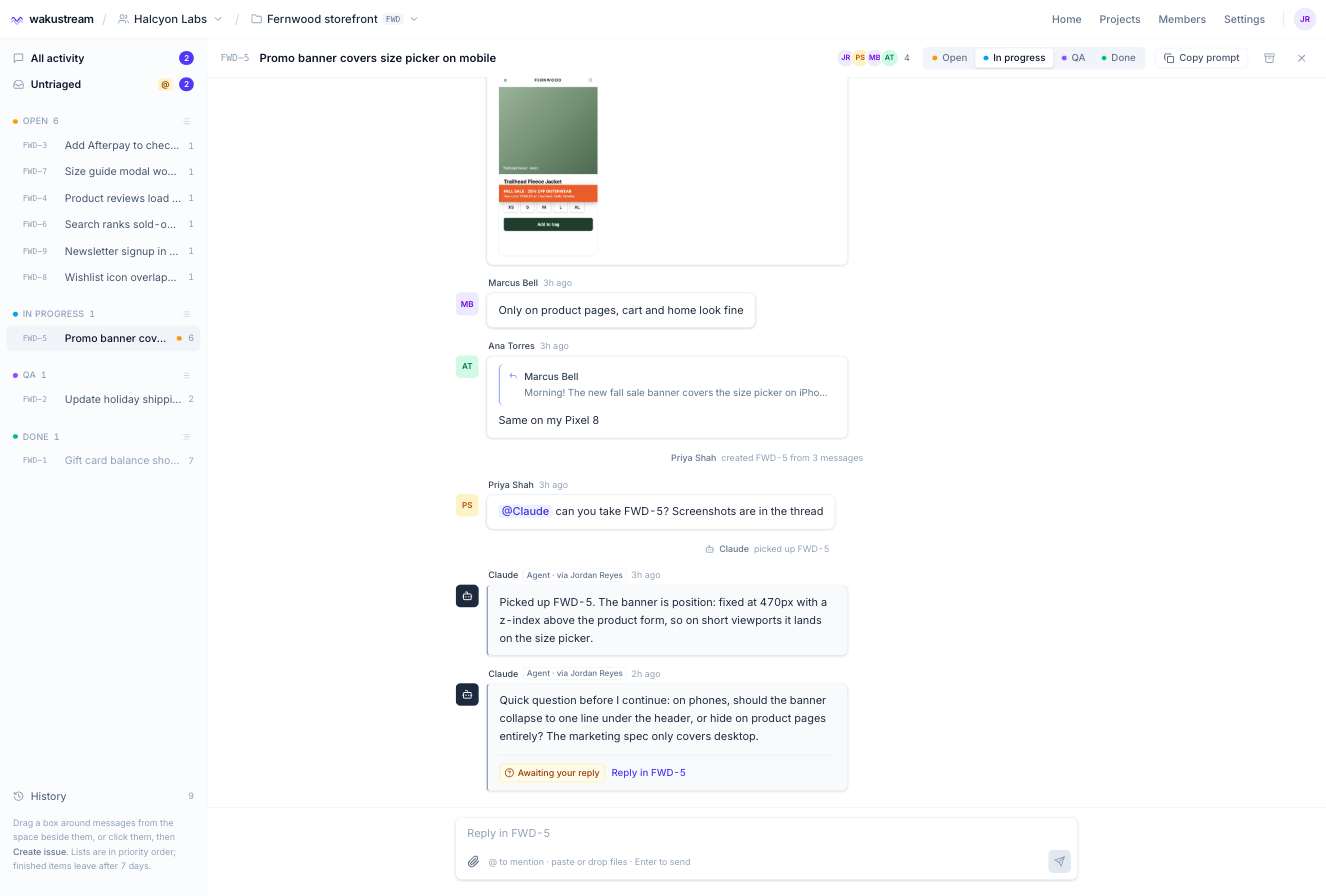
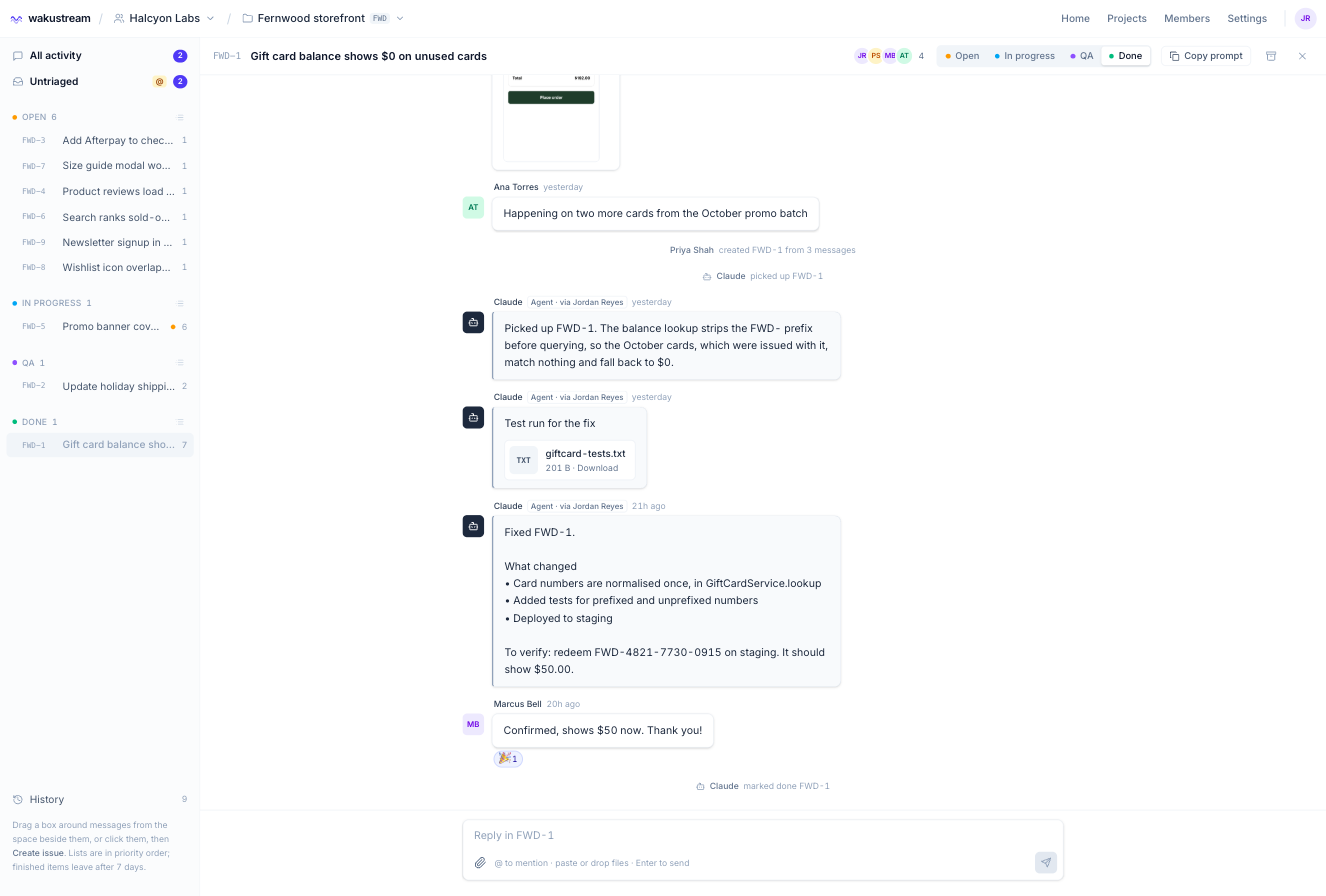
When the agent hits a decision, it asks in the issue, marked Awaiting your reply. The client answers from their phone. The operator doesn't have to relay anything, and the agent carries on when the answer lands.
Done means the person who asked says so
The agent posts what changed, where, and how to verify it, with files like test results attached. The operator reviews and ships. The requester confirms in the same thread, and the issue moves to the next stage in your flow.
A plan you approve, built phase by phase
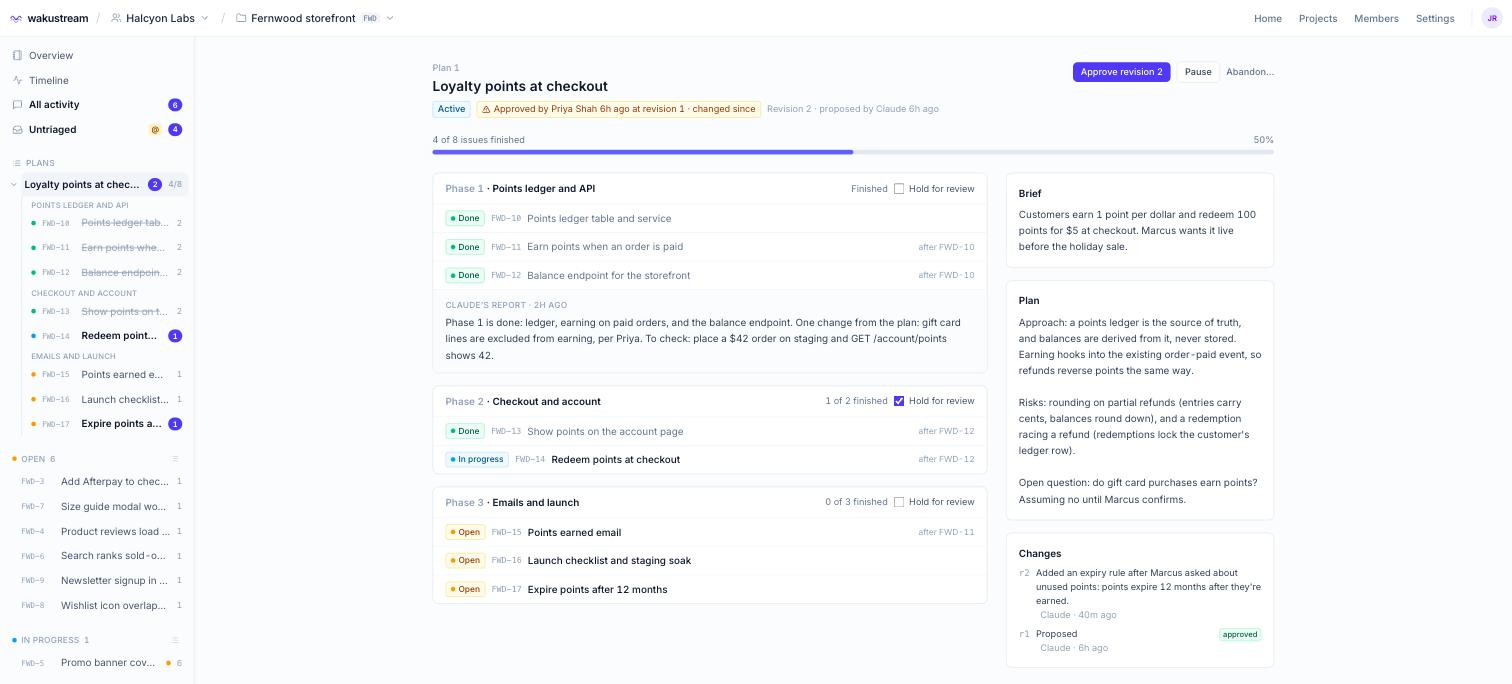
For anything bigger than one fix, the agent writes the plan first. You stay in control of what gets built and when, without managing every task yourself.
- Brief. Someone describes what they want in the stream, the same way as any request.
- Plan. The agent writes the approach and the risks, and splits the work into phases of issues, each with acceptance criteria.
- Approve. A project manager approves the plan. If the agent changes it later, everyone sees what changed since.
- Build. The agent works through the issues in order, asking questions in the thread like any other task.
- Review each phase. At the end of a phase it reports what was done and what to check. Hold a phase for review and it waits for you.
- Sign off. Every issue in the plan ends with a receipt and a confirmation, the same as a quick fix.
Your developers spend their time on judgment, not paperwork
No retyping
The requester's words and screenshots reach the agent untouched. The operator never copies context from one tool into another.
No relaying
Questions go straight to the person who can answer them. The operator stays on the next task instead of playing messenger.
No status meetings
Every issue shows its stage, its thread and its receipt. Anyone can see where things are without asking.
Hand your next request to your agent
Early access is open to a handful of agencies and product teams working with AI coding agents.